This article explains how to add a new user to your bOnline VoIP phone system through the MybOnline portal.
How to add a new user
- Log in to the MybOnline portal.
- Select Phone settings from the left-hand menu.
- Select Users and devices.
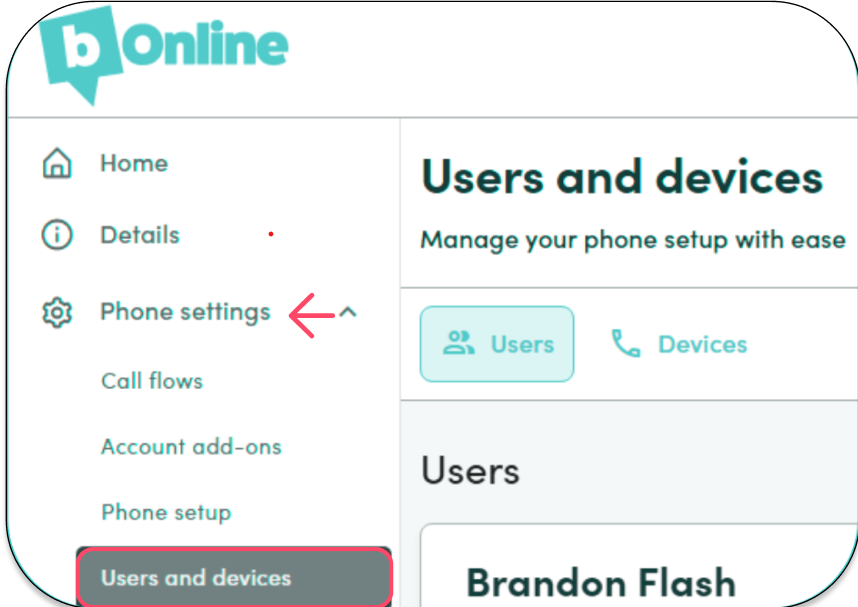
- Select Add User.

- Select User Profile.
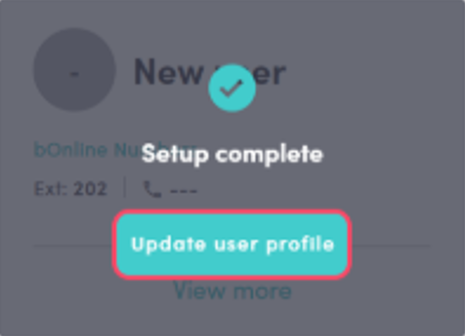
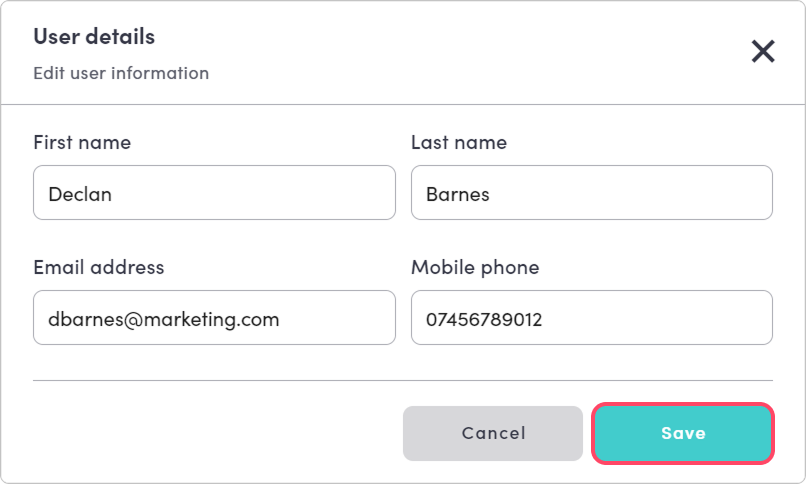
- Enter the new user's details.
- Select Save.
Users can only be added one at a time. You can add up to 3 users yourself through the MybOnline portal, with a maximum of 9 users on your account.
Need to add more than 3 users?
If you try to add more than 3 users, you will see a message asking you to contact bOnline.
To add additional users beyond 3, you can either:
- Call 020 3617 9950 to make an upfront payment for the extra users.
- Book an onboarding session for an advanced setup. This is required for 3 or more users, third-party desk phones, or custom call flows.
Related articles
Was this article helpful?
That’s Great!
Thank you for your feedback
Sorry! We couldn't be helpful
Thank you for your feedback
Feedback sent
We appreciate your effort and will try to fix the article