The MybOnline portal shows your next invoice date, amount and current balance. You can access this from the homepage or the Billing section.
Option 1 - From the homepage:
1. Log in to your MybOnline portal.
2. On the homepage, scroll down to the Next Invoice card to see your upcoming invoice date and amount.
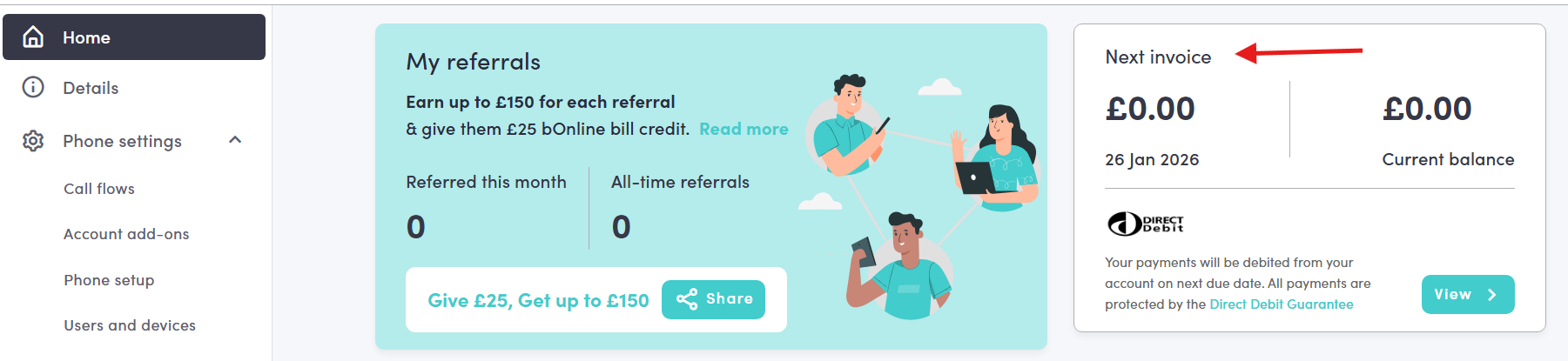
Option 2 - From the Billing section
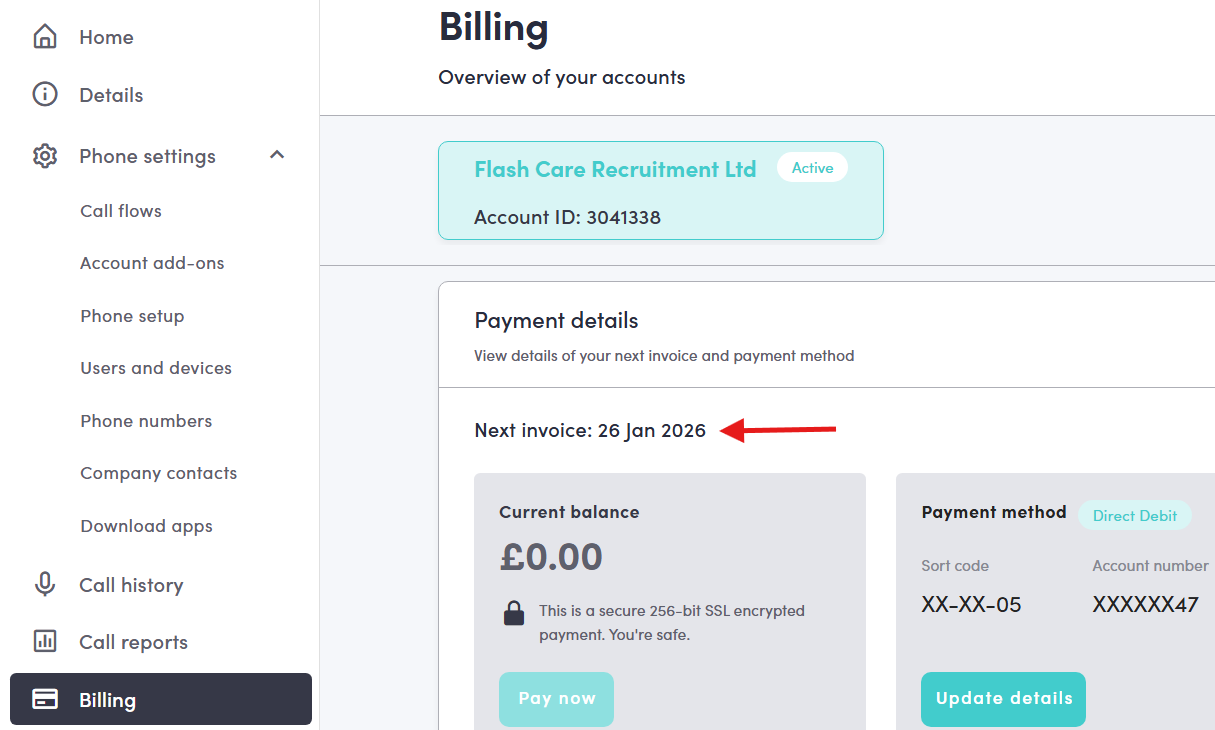
1. Click Billing in the left-hand menu.
2. Under Payment details you will see your next invoice date and current balance.
Related Articles
- How to view and download your past invoices in the MybOnline portal.
- How can I pay my bOnline invoice.
Contact Us
We're always up for a chat! Live chat is available via the mybOnline sidebar or from the bottom-right corner of this page.
Other Contact Options
Reach the support team via WhatsApp for quick queries.
Log in to mybOnline and use the in-portal contact options.
Was this article helpful?
That’s Great!
Thank you for your feedback
Sorry! We couldn't be helpful
Thank you for your feedback
Feedback sent
We appreciate your effort and will try to fix the article