The MybOnline referral programme lets you earn rewards by recommending bOnline to other businesses. Share your unique referral link with friends and colleagues — when they sign up, you get rewarded.
How to Find Your Referral Link
- Log in to the MybOnline portal.
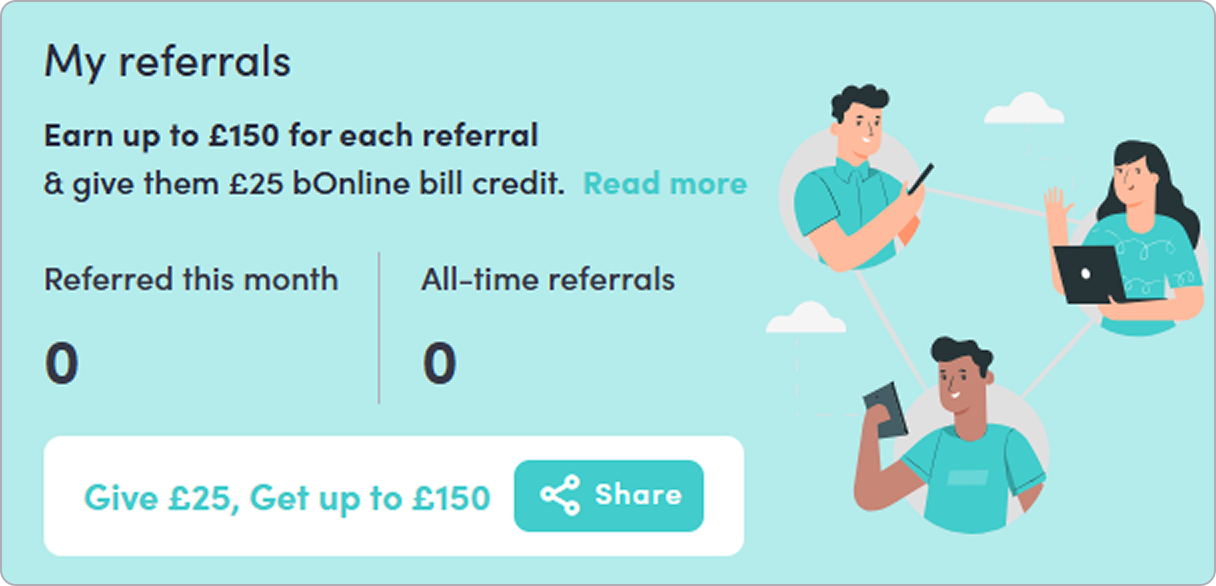
- On the Home page, scroll down to the My referrals widget.
- Your referral link is available here. Click Give £25, Get up to £150 or the Share button to share it.
How to Share Your Referral Link
You have three ways to share your referral link with others.
Option 1: Copy the link
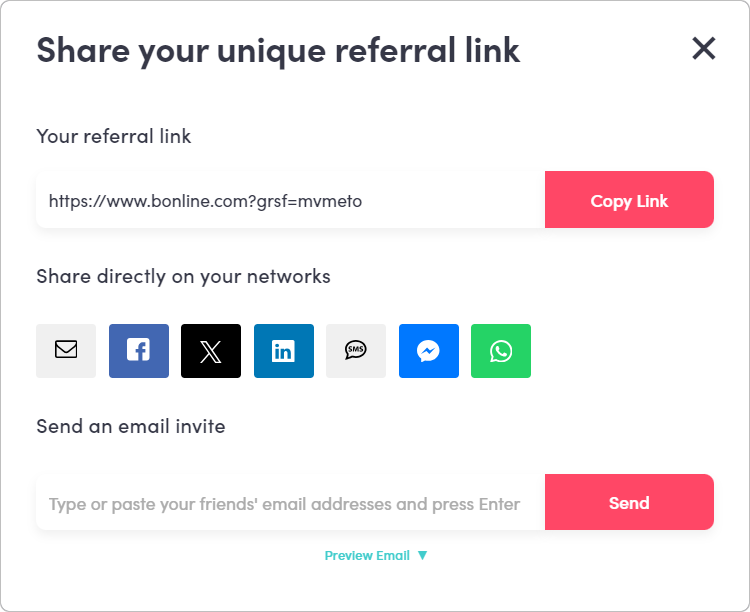
- Next to your referral URL, click Copy link.
- Paste the link wherever you want to share it. It could be in the form of a text message, chat, or your own email.
Option 2: Share on social media
- Click the Share button.
- Select the social media platform you want to post to.
- Your referral link will be added to the post automatically.
- Complete and publish your post on the selected platform.
Option 3: Send an email invite
- Click Send an email invite.
- Enter the email address of the person you want to refer.
- Click Send. They will receive an email with your referral link included.
Related Articles
- How to log in to the MybOnline customer portal
- How to update your profile and preferences in the MybOnline portal
- How to use the MybOnline shop for bOnline products
Contact Us
We're always up for a chat! Live chat is available via the mybOnline sidebar or from the bottom-right corner of this page.
Note: This is the fastest way to reach the support team.
Other Contact Options
WhatsApp
Reach the support team via WhatsApp for quick queries.
mybOnline Portal
Log in to mybOnline and use the in-portal contact options.
Was this article helpful?
That’s Great!
Thank you for your feedback
Sorry! We couldn't be helpful
Thank you for your feedback
Feedback sent
We appreciate your effort and will try to fix the article