Customise the audio callers hear while waiting in a queue or placed on hold.
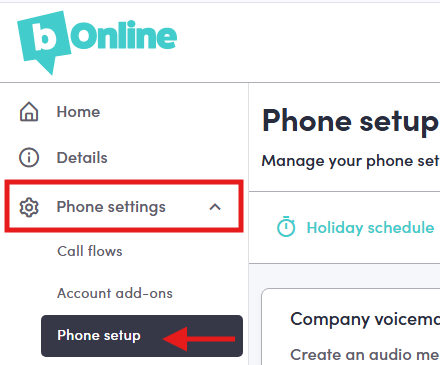
Step 1. Go to 'Phone Setup' on the left-hand menu.
- Log in to the MYbOnline portal,
- Click on Phone Settings
- Click on Phone setup
Step 2. Go to Company Hold Music
Click on the Voicemail & hold music tab
Scroll Down to Company Hold Music
Step 3. Upload and Edit Your Hold Music
Lastly, you can make use of the hold music feature to upload music that callers will hear after being placed on hold.
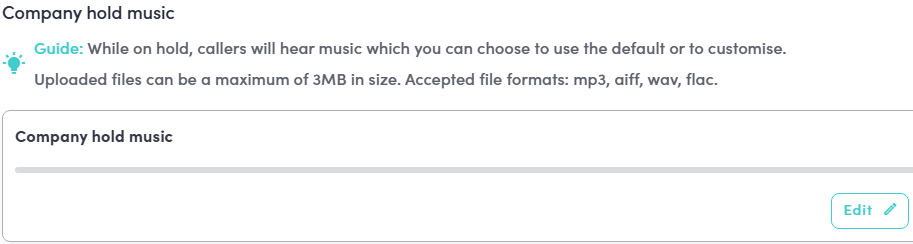
Please note: Uploaded files can be a maximum of 3MB in size. Accepted file formats are: mp3
Was this article helpful?
That’s Great!
Thank you for your feedback
Sorry! We couldn't be helpful
Thank you for your feedback
Feedback sent
We appreciate your effort and will try to fix the article