This guide explains how to create a custom voicemail greeting for your bOnline phone line using the MybOnline portal.
Steps to follow
- Log in to the MybOnline portal.
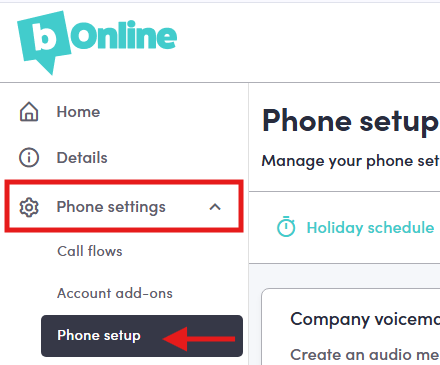
- Select Phone Settings from the left-hand menu.
- Select Phone Setup.
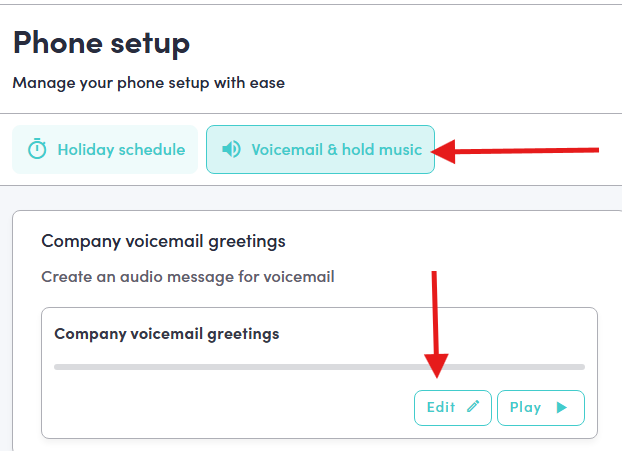
- Select the Voicemail & Hold Music tab.
- Scroll to Company Voicemail Greetings.
- Select Edit.
- Create your voicemail greeting by typing it out, recording it, or uploading a greeting from your device.
- Choose your preferred Type of Voice.
- Preview your greeting, then select Save.

Related articles
Was this article helpful?
That’s Great!
Thank you for your feedback
Sorry! We couldn't be helpful
Thank you for your feedback
Feedback sent
We appreciate your effort and will try to fix the article