When you cancel your bOnline service, you will receive a final invoice. This article explains the different charges that may appear on it.
Where to view your final invoice
You can find your final invoice in the MybOnline portal.
- Once logged in, click Billing.
- Scroll down to Billing History.
For a more detailed breakdown, see How to view your next invoice in the MybOnline portal.
Charges on your final invoice
Your final invoice may include one or more of the following charges depending on your account and contract status.
Notice period charges
When you cancel, your service does not stop immediately unless agreed otherwise. You will continue to be billed during your notice period. If your notice period runs into your next billing cycle, those charges will appear on your invoice.
Out of bundle charges
Your final invoice may include usage charges that fall outside your plan, such as:
- Call charges outside your plan
- International calls
- Usage above your allowance
- Add-ons or bolt-ons used during your last month
These are billed in arrears, so they can appear after you have cancelled.
Pro-rata charges
If your cancellation falls in the middle of a billing cycle, charges may be calculated up to your final service date.
Unreturned equipment
If any equipment has not been returned, an additional charge may be added to your final bill.
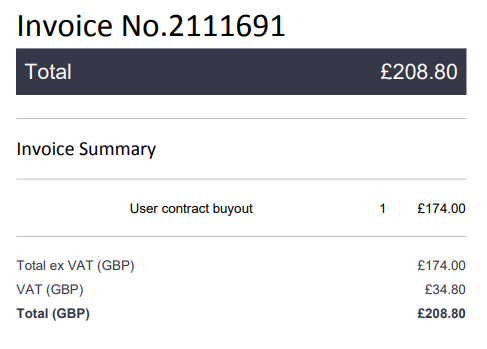
User contract buyout (in-contract customers only)
A user contract buyout fee applies if you cancel before your contract end date. This fee covers the remaining months left on your contract.
Please note: The buyout fee applies to all users on your account.
Why am I sent an invoice after cancelling?
An automated invoice is triggered just before your cancellation is complete. This is normal and covers any outstanding charges remaining on your account.
Related articles
Was this article helpful?
That’s Great!
Thank you for your feedback
Sorry! We couldn't be helpful
Thank you for your feedback
Feedback sent
We appreciate your effort and will try to fix the article