Keeping your profile info up to date will give your team and customers access to your correct contact details. This guide explains how to edit your personal information and update your security PIN using the bOnline mobile app.
Before You Start
Make sure you have the bOnline mobile app installed and are logged in.
If you are changing your login PIN, you must know your current PIN to authorise the change.
Steps to Edit Your Profile Details
Open the bOnline app on your mobile device.
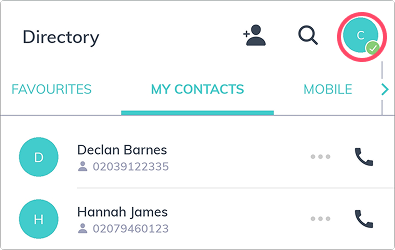
Tap on the My Profile button at the top-right of the screen.
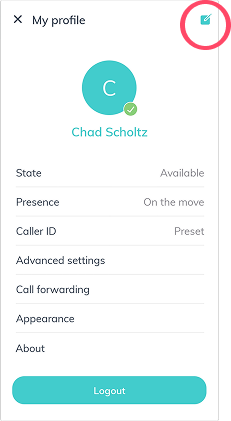
3. Tap on the Edit Icon at the top-right of the screen.
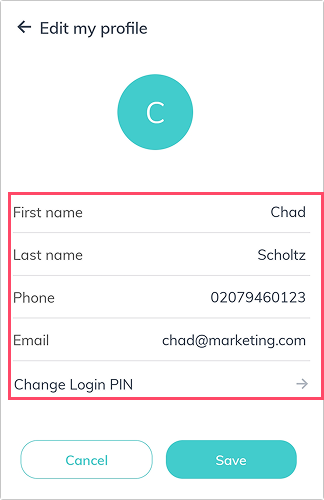
4. Update your information in the displayed fields, including your Name, Surname, Phone number, and Email address.
Was this article helpful?
That’s Great!
Thank you for your feedback
Sorry! We couldn't be helpful
Thank you for your feedback
Feedback sent
We appreciate your effort and will try to fix the article