This guide provides a quick overview of common VoIP issues and links to the detailed troubleshooting articles for each one. Use this as a starting point to identify your issue and find the right solution.
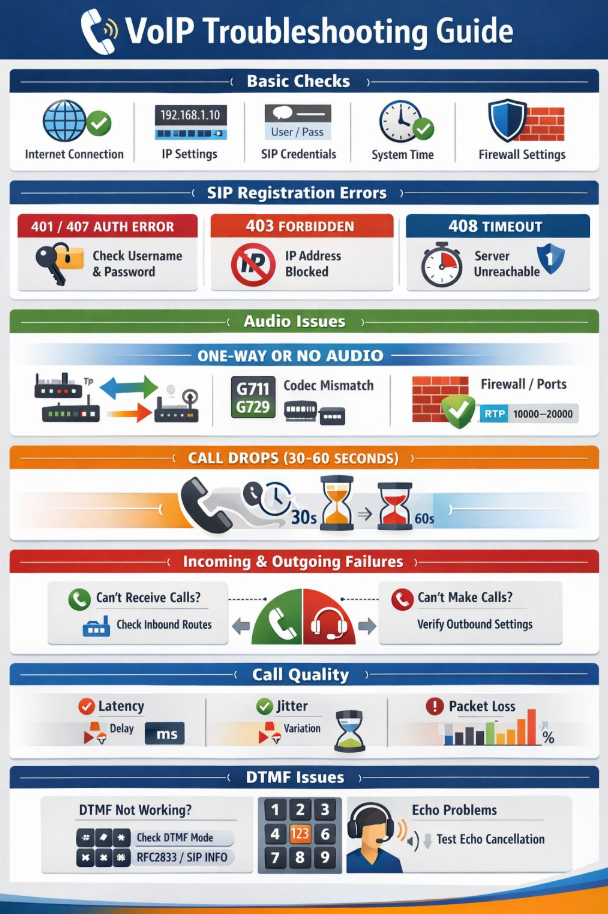
Basic checks
Before investigating a specific issue, check the following:
- Internet connection is active and stable.
- IP settings are correct on the device.
- SIP credentials (username and password) are entered correctly.
- System time on the device is accurate.
- Firewall settings are not blocking VoIP traffic.
SIP registration errors
If your phone is not registering or showing an error code:
- 401 / 407 Auth Error: Check the username and password on the device.
- 403 Forbidden: The IP address may be blocked.
- 408 Timeout: The server is unreachable. Check internet connectivity and firewall settings.
For a full list of error codes, see SIP error codes.
Audio issues (one-way or no audio)
If one or both parties cannot hear audio during a call, common causes include:
- Codec mismatch between devices (G711 / G729).
- Firewall blocking RTP ports (10000-20000).
- SIP ALG enabled on the router.
See How to fix audio issues when neither party can hear on VoIP calls and How to fix no dial tone or sound on VoIP lines.
Call drops (30-60 seconds)
If calls are dropping after 30 to 60 seconds, this is typically caused by a firewall or NAT issue where the session times out. See Understanding SIP and ALG settings for VoIP phone systems.
Incoming and outgoing call failures
If you cannot receive or make calls:
- Cannot receive calls: Check your inbound routes and call flow configuration.
- Cannot make calls: Verify your outbound settings and check that your account is active.
See Resolving call issues on IP phones for bOnline VoIP systems.
Call quality (latency, jitter, packet loss)
Poor call quality is usually caused by network issues:
- Latency: Delay between speaking and being heard.
- Jitter: Variation in packet arrival time causing choppy audio.
- Packet loss: Missing audio data causing gaps in conversation.
See How to troubleshoot call quality issues on VoIP systems and Quality of Service (QoS) for VoIP phone systems.
DTMF and echo issues
- DTMF not working: Check that the DTMF mode is set to RFC2833 or SIP INFO on your device.
- Echo problems: Test echo cancellation settings on the device. This can also be caused by high latency or volume levels.
If you are experiencing any of the above issues and the linked articles do not resolve them, contact the bOnline support team through live chat.
Related articles
- How to fix audio issues when neither party can hear on VoIP calls
- How to fix no dial tone or sound on VoIP lines
- How to troubleshoot call quality issues on VoIP systems
- Resolving call issues on IP phones for bOnline VoIP systems
- Understanding SIP and ALG settings for VoIP phone systems
- SIP error codes
- Quality of Service (QoS) for VoIP phone systems
Was this article helpful?
That’s Great!
Thank you for your feedback
Sorry! We couldn't be helpful
Thank you for your feedback
Feedback sent
We appreciate your effort and will try to fix the article