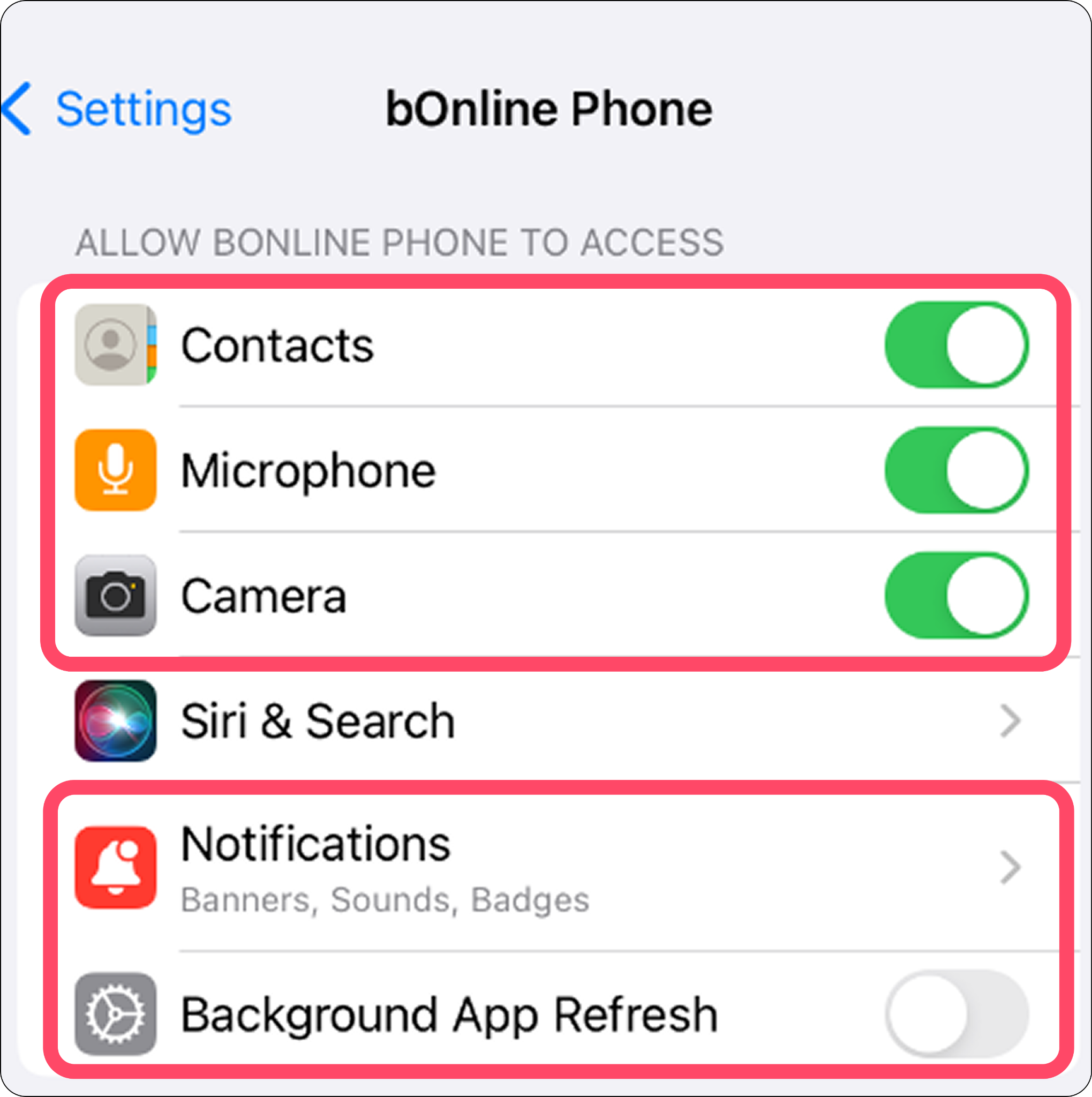
To ensure your bOnline app works correctly on your iPhone, it needs access to specific features like your microphone and contacts. This guide gives you a simple breakdown on how to allow these permissions within your iOS settings.
Before You Start
Make sure you have the bOnline mobile app installed on your iOS device.
We recommend allowing all requested permissions to avoid issues with making calls, receiving notifications, or viewing your contact list.
Steps to Enable Permissions on iOS
Open the Settings app on your iPhone and tap on the bOnline Phone app to open its permission settings.
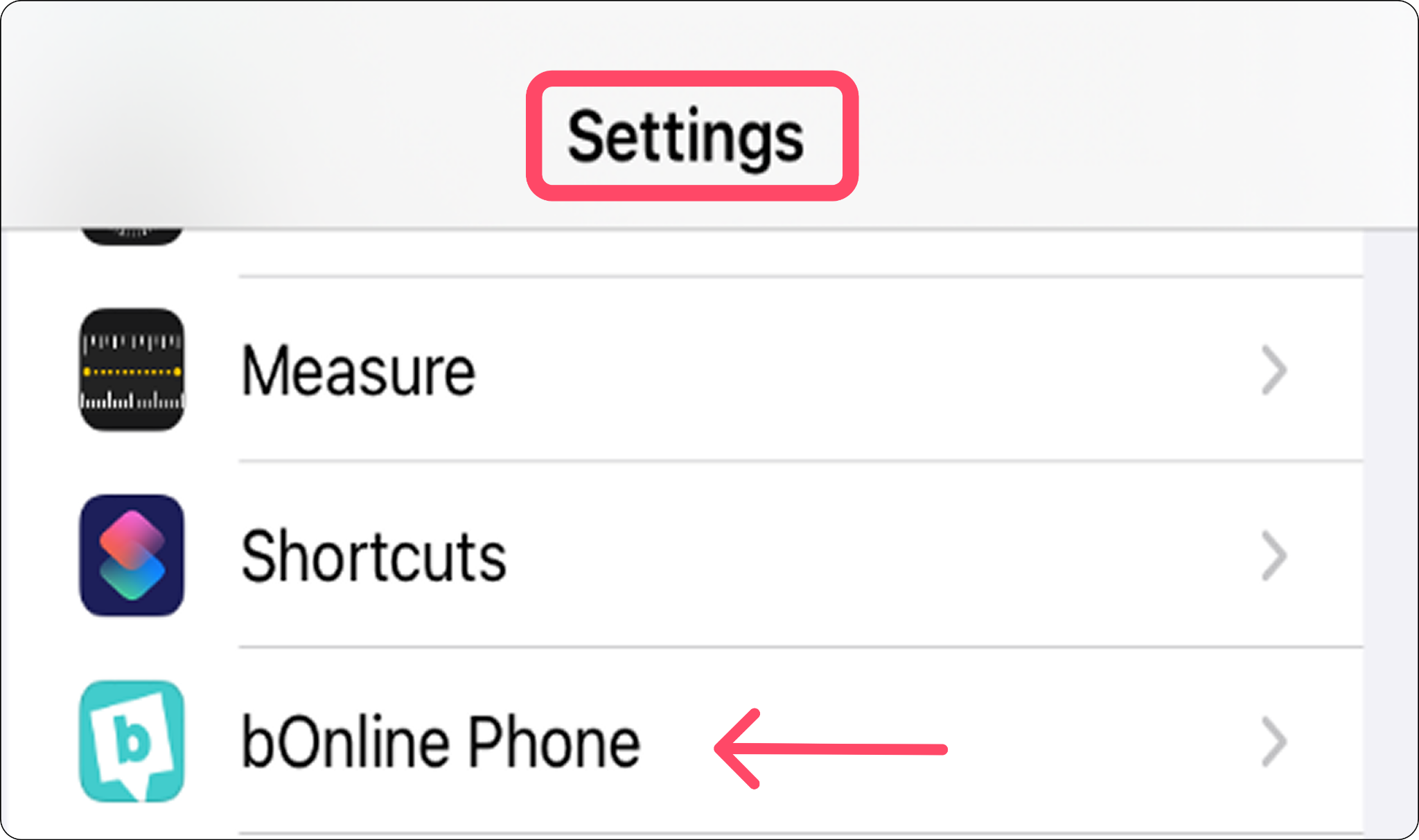
Open the Settings app on your iPhone and tap on the bOnline Phone app.
Contact Us
We're always up for a chat! Live chat is available via the mybOnline sidebar or from the bottom-right corner of this page.
Note: This is the fastest way to reach the support team.
Other Contact Options
WhatsApp
Reach the support team via WhatsApp for quick queries.
mybOnline Portal
Log in to mybOnline and use the in-portal contact options.
Was this article helpful?
That’s Great!
Thank you for your feedback
Sorry! We couldn't be helpful
Thank you for your feedback
Feedback sent
We appreciate your effort and will try to fix the article